
XInk
A live ink whiteboard, made for writing maths with a pen.
On a general whiteboard app a tutor's handwritten maths can come out shaky and arrive late, so students sit waiting for the next line. XInk is built for handwriting and for maths: ink follows the pressure of the pen, everyone on the board sees it as it is drawn, and the ruler, protractor, graphs and typeset equations a lesson needs are all on it.

- 45 ms
- from the tutor's pen to the student's screen, over a link with 30 ms of delay each way, in our tests
- 60 fps
- while writing on a page that already holds 3,000 strokes, in our tests
- Under 2 s
- for a stroke cut off mid-line by a dropped connection to arrive once the link is back, in our tests
Follow me
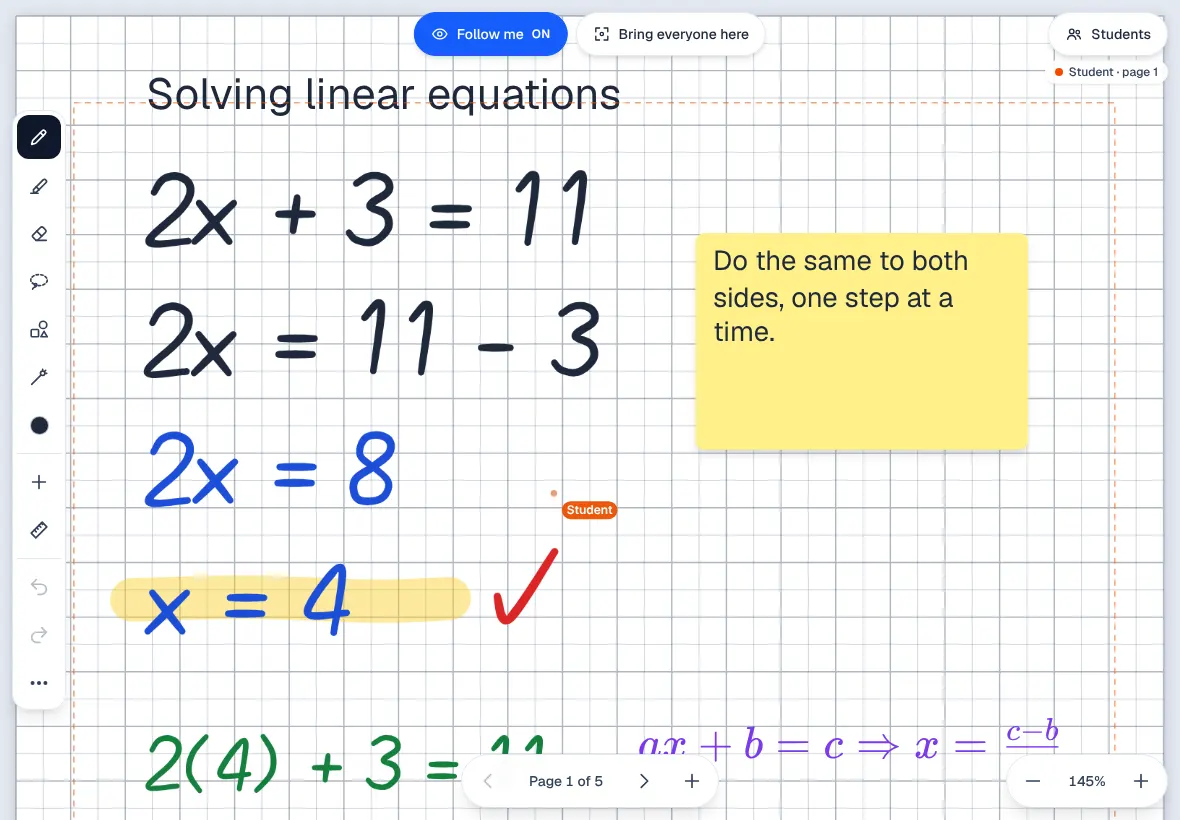
Where the tutor goes, the class goes.
In an online group, a tutor loses minutes asking "Which page are you on?" With Follow me, turn the page or zoom in and every student's board glides to the same place, fitted to their own screen.
A student can wander off to look back at their working, and one tap brings them back.

Tidy as you go
Move the working, not the lesson.
When the working runs out of room, tutors usually rub it out and write it again. Here you draw a loop round a line of working and drag it where it belongs: resize it, recolour it, copy it.
Draw a circle by hand and hold the pen still. It turns into a neat one.

The maths kit
A ruler, a protractor and a graph plotter on the page.
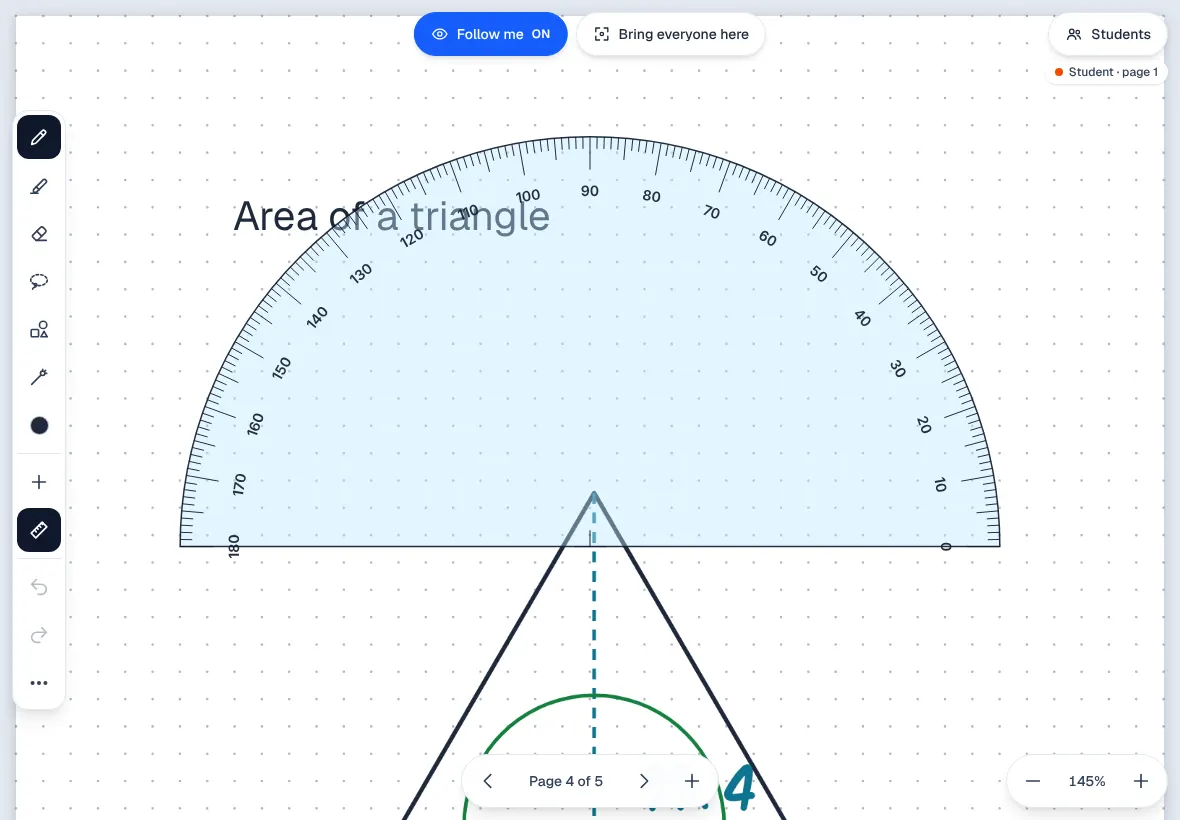
Geometry and graphs are where a plain whiteboard lets a maths tutor down: freehand lines and guessed angles. Draw along the ruler and the board shows the length as you go; round the protractor and it shows the angle.
Type y = x^2 - 4 and the parabola is drawn in ink on numbered axes, ready to circle the roots.

Handwritten and typed
Handwriting beside typed words and typeset maths.
Handwriting is quick to teach with but hard to read back a week later. Add a title, a sticky note or an equation typed in LaTeX with buttons for the hard parts, right next to the ink.
Everything typed is real text, so a screen reader can read it and it stays sharp in the PDF.
Small groups
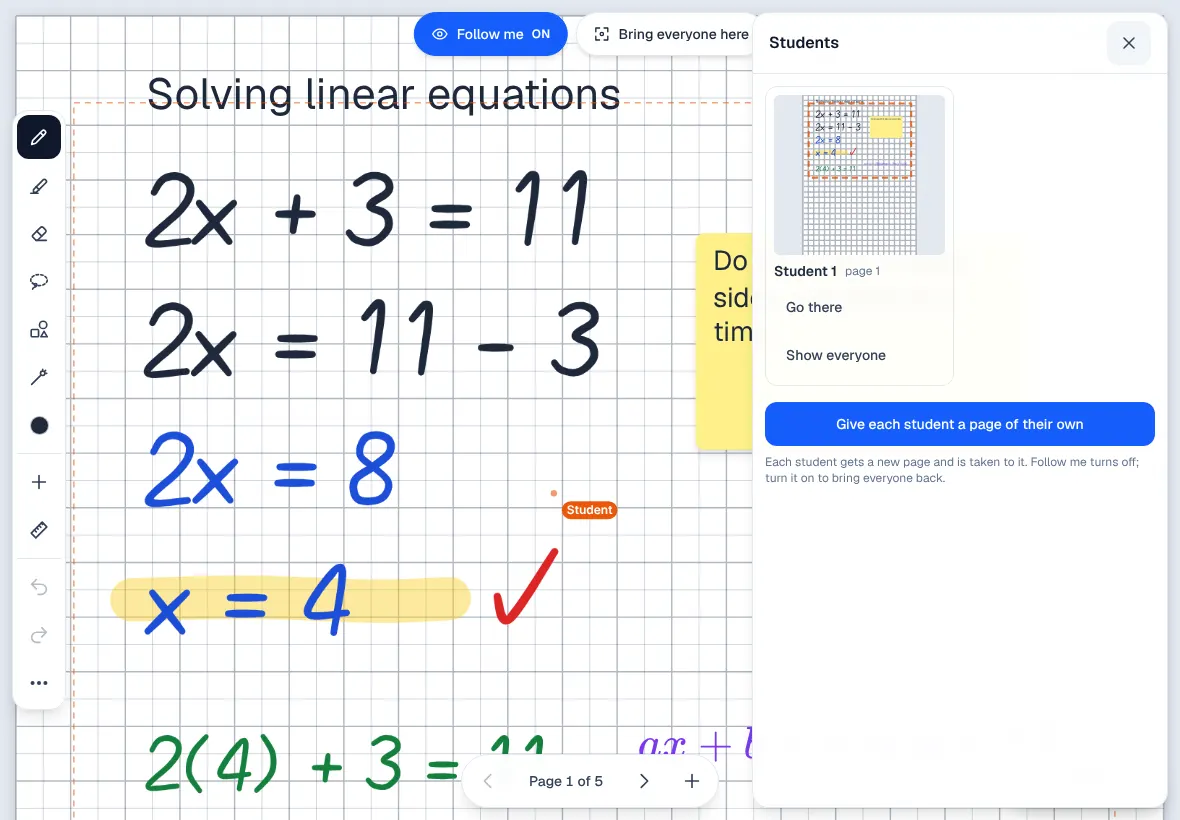
Every student's page, side by side.
In a group, the tutor cannot see who is stuck until someone says so. Here the tutor sees each student's page as they write, can jump to it, or show it to everyone.
One button gives each student a page of their own.
Pages your way
Worksheets, templates, or no edges at all.
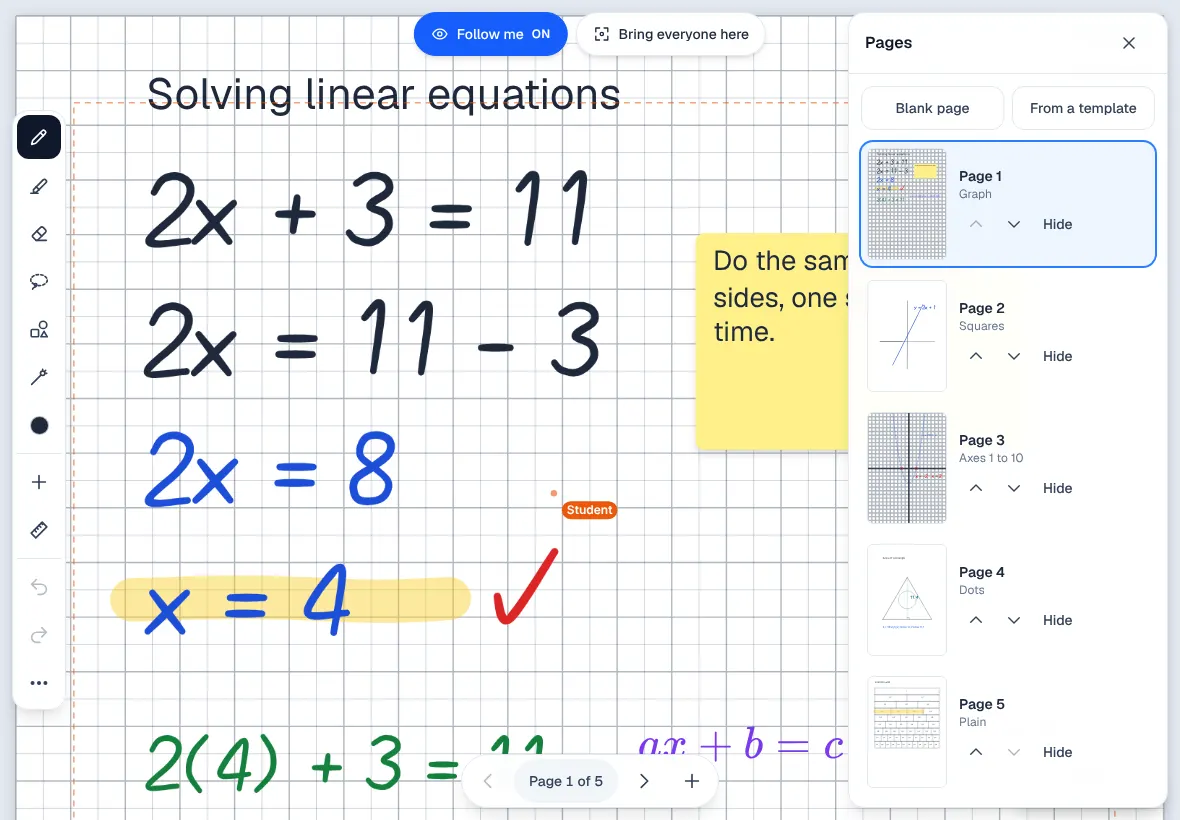
Tutors spend the start of a lesson drawing axes and number lines by hand. A past paper becomes pages to write over, and ready-made pages add a Cartesian plane, number lines, a fraction wall or a times table grid.
See every page at once to reorder or hide them, or make a page endless for a big mind map.
After the lesson
Watch the page written again.
Students forget how they reached an answer, and parents rarely see the working at all. Replay a page in the order it was written, to revise from or to show a parent how the answer was reached.
Or download the whole board as a PDF, with sharp ink, typed words and every picture.

Pen first
Made for an iPad and a pen.
- Made for an iPad and an Apple Pencil first: real pressure, every Pencil sample used, and ink drawn just ahead of the tip.
- A resting palm draws nothing. One finger moves the page, two pinch to zoom, a two-finger tap undoes.
- Two fingers on the ruler or protractor move and turn it while the Pencil draws along it.
- On a laptop the mouse draws and the keyboard has shortcuts; on a phone the tools sit in one row along the bottom.
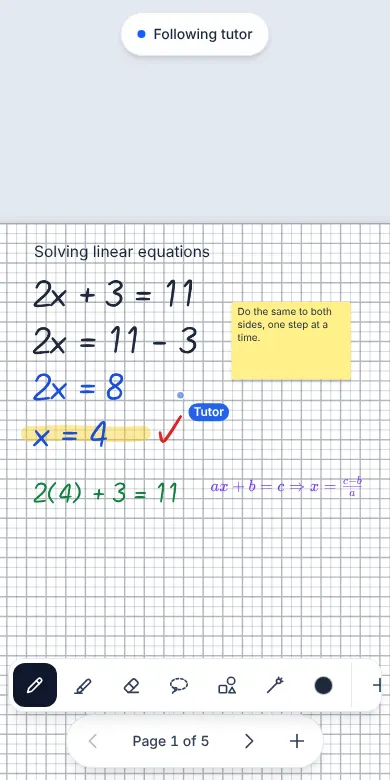
And on a phone, when that is what a student has.
What it does
XInk, feature by feature.
Ink that feels like a pen
Strokes follow the pen's pressure, and once the board sees a pen only the pen draws, so a resting hand leaves no marks.
Live for everyone
Everyone on the board sees each stroke as it is drawn, a late joiner catches up on their own, and the board says when it is reconnecting.
Follow me
The tutor brings everyone to their page and view, and the board follows them from page to page.
Select and move
Draw a loop round some working to move it, resize it, change its colour, copy it or delete it.
Neat shapes
Draw lines, arrows, boxes, circles and triangles, or draw one by hand and hold the pen still to make it neat.
Ruler and protractor
Draw along the ruler and round the protractor; the board shows the length or the angle as you go, and everyone sees where they are.
Text, notes and equations
Type on the page, add sticky notes, and put typeset equations beside the handwriting.
Graphs on the axes
Type y = x^2 - 4 and the graph is drawn in ink on numbered axes, ready to write on.
Worksheets, pictures and templates
A PDF becomes pages to write over, pictures can be moved and resized, and ready-made pages include axes, number lines and a fraction wall.
Pages your way
See every page at once, reorder and hide them, or make a page endless with no edges.
Every student's page
In a group the tutor sees each student's page side by side and can give each student a page of their own.
Replay and PDF
Replay a page in the order it was written, or download the whole board as a PDF.
Built for tutoring
In a centre's week.
In your portal: Whiteboard
- A tutor works through a past paper on a PDF, the student writes the next line, and both see it at once, with no photo of a page to send.
- A tutor draws y = x^2 - 4 on the axes and the student circles where it crosses.
- After the lesson the board goes home as a PDF, so the student revises from the real working and parents see what was covered.
- The same board is a document of its own, the board in every online lesson, and the board in a staff meeting.
 XWrite
 XGrid
XGrid XDeck
XDeck XInbox
 XMeet
XMeet XLesson
 XStudio
In short
XInk
XInk is the website's name for Whiteboard, built into every XTutio centre's portal. A live ink whiteboard, made for writing maths with a pen. Staff use it with the same sign-in as the timetable, families and billing, and it costs nothing extra.
Questions centres ask
What is XInk?
XInk is what this website calls Whiteboard in a centre's XTutio portal. On a general whiteboard app a tutor's handwritten maths can come out shaky and arrive late, so students sit waiting for the next line. XInk is built for handwriting and for maths: ink follows the pressure of the pen, everyone on the board sees it as it is drawn, and the ruler, protractor, graphs and typeset equations a lesson needs are all on it.
Does XInk cost extra?
No. XInk comes with every XTutio centre, with nothing to buy per member of staff.
