XMeet · staff meetings
Your staff meeting,inside the portal.The hoststays in charge.
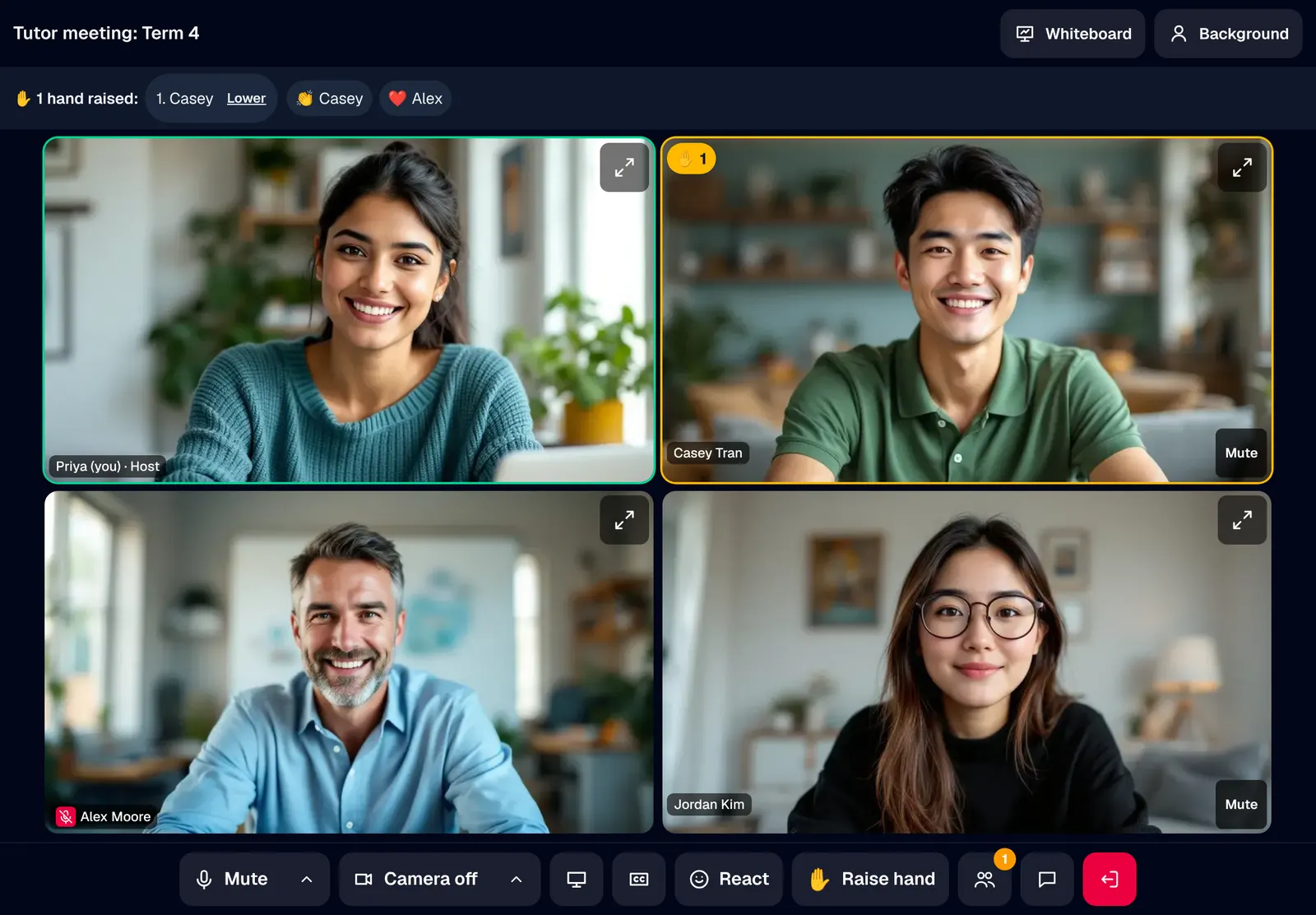
Casual tutors miss staff meetings because the link was in a text they never saw, on an app they do not use. XMeet runs video meetings for your tutors and front desk in the same portal they already sign in to. Faces in a grid, a whiteboard everyone writes on, live captions, and a host who can mute, let people in and end it for everyone.
Live now
Only your centre's staff
5
reactions, plus a raised hand
3
views: faces, board, screen
6
backgrounds, blur included
100
staff on one invite list
Looks like your centre
Faces that fill the screen. Nobody talks over a reaction.
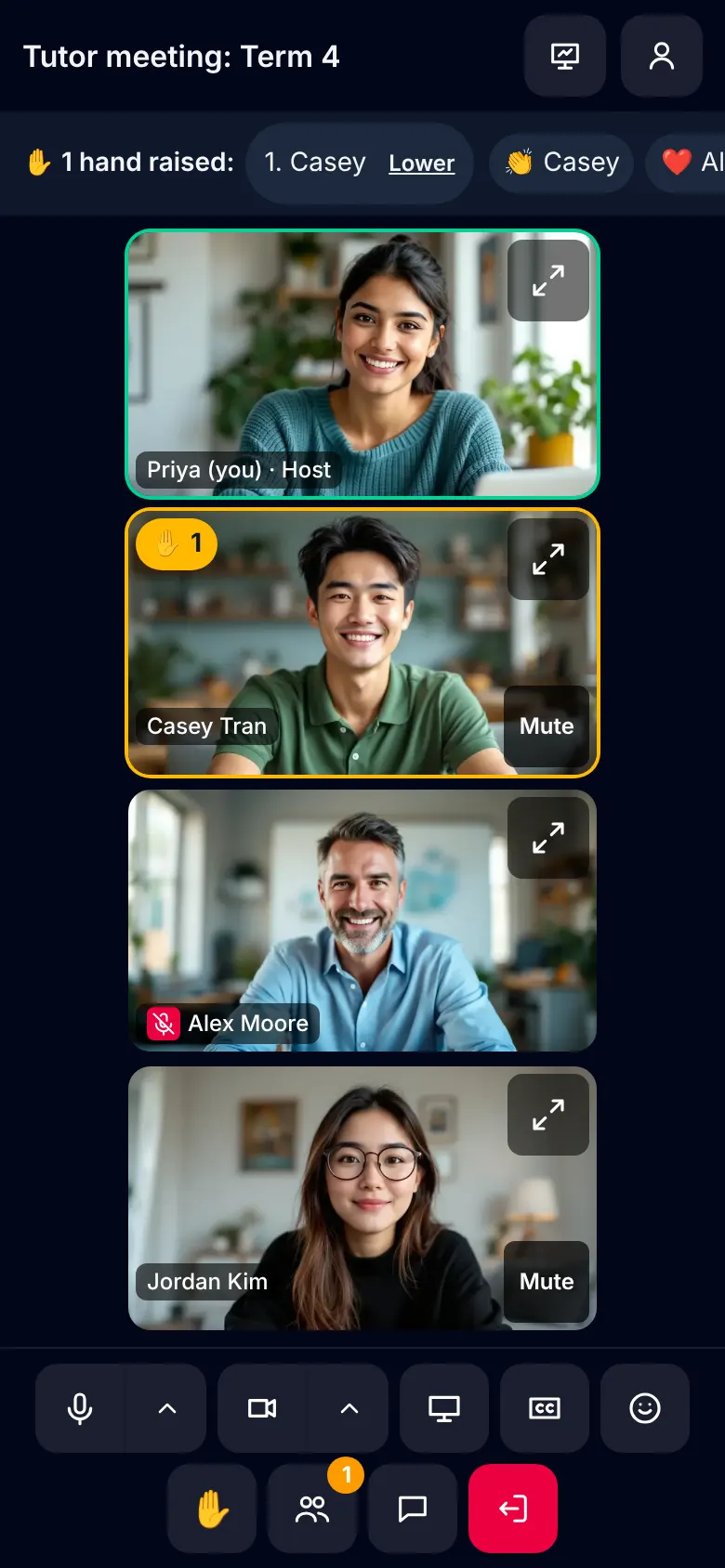
In a busy video call the quiet tutor never gets a word in. The grid is sized to the window, the person speaking is outlined, and a reaction floats up without interrupting anyone. Hands are listed in the order they went up, so the quiet tutor gets their turn.
- Like, love, laugh, wow and applause
- Raise hand, listed in order
- Pin anyone to make them big
The host's controls
Let people in. Mute the noise. End it for everyone.
The person running a staff meeting needs a barking dog muted and a late arrival let in without stopping. People lists everyone with their microphone and camera. The host and the centre's admins can mute one person or everyone, remove someone, let in whoever is waiting, and end the meeting for everyone with a second press to confirm.
- Mute one or mute everyone
- A waiting room for meetings open to all staff
- Chat beside it for links and notes
- A quick poll of up to 5 answers, counts shown live
Work it out together
The whiteboard comes onto the stage.
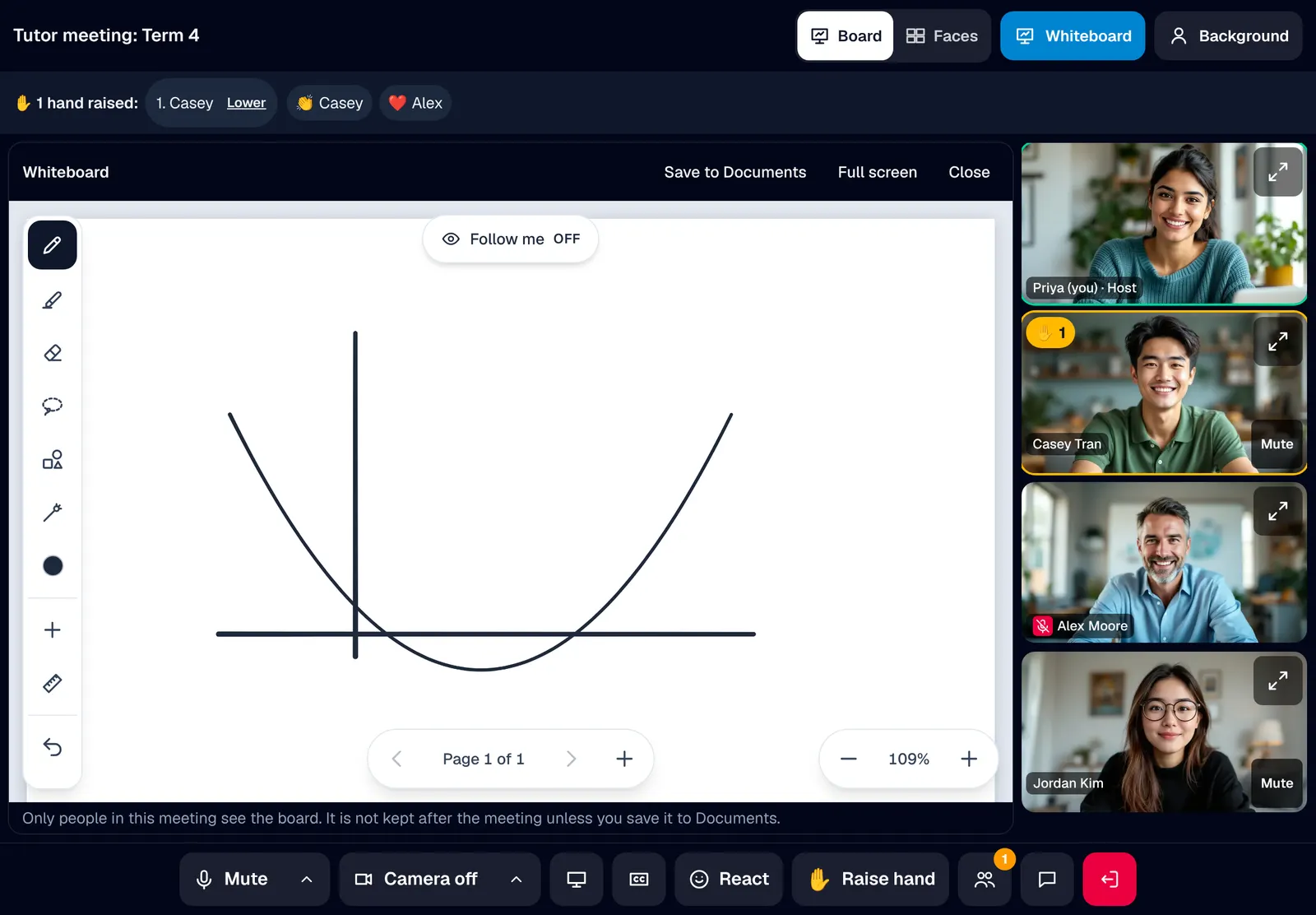
Planning the term by talking over a shared screen leaves everyone but the sharer watching. Open the whiteboard and it fills the stage, with everyone's faces in a strip beside it. Everyone in the meeting writes on it, and it can be saved to Documents when you are done.
- The same board your tutors teach on
- Save to Documents in one press
Before you go in
See yourself. Hear yourself. Then join.
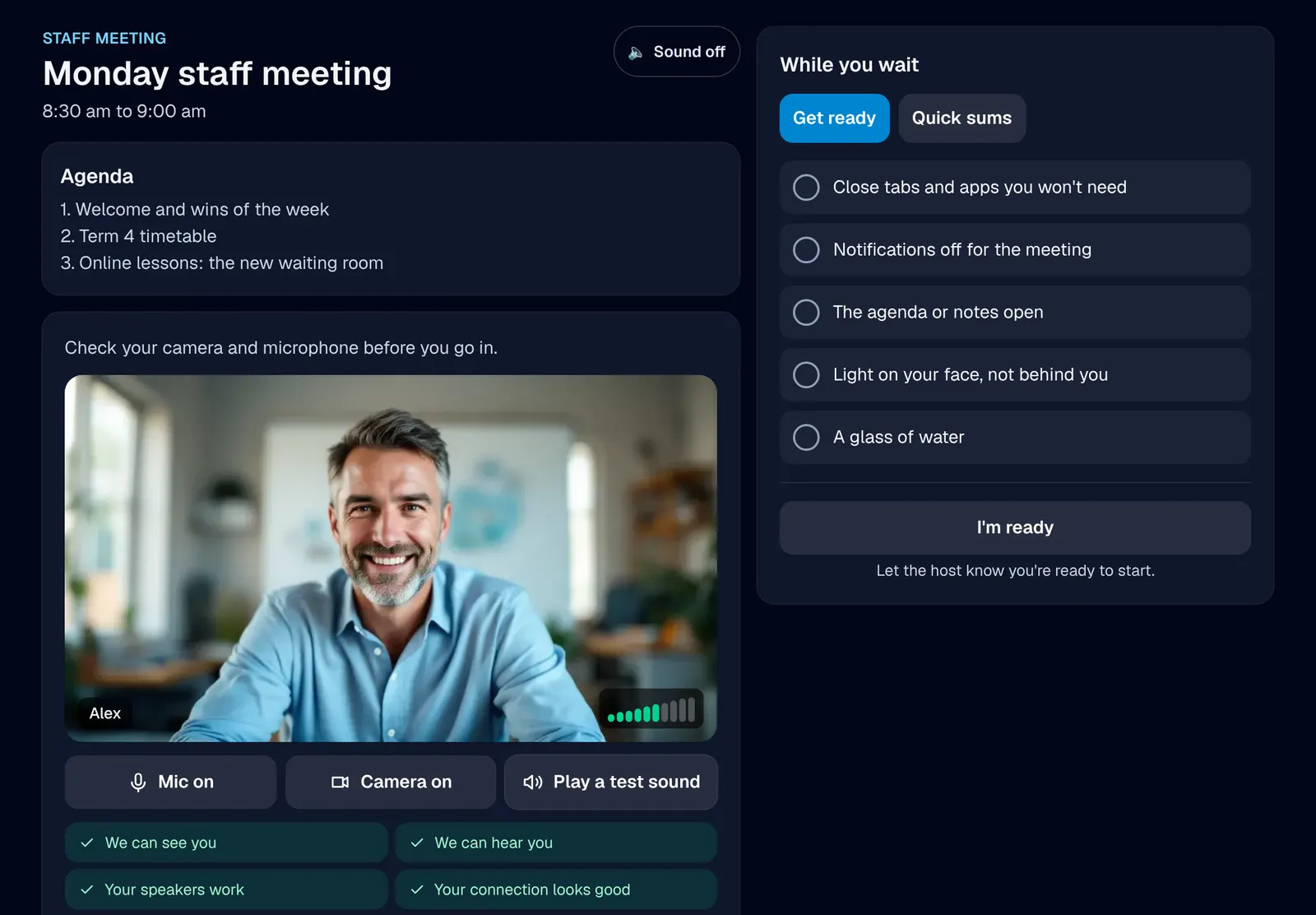
Every meeting loses its first five minutes to "Can you hear me?" The lobby shows your camera with your background already on, a microphone meter that moves when you speak, a test sound for your speakers and a quick connection check. Nothing is recorded while you check.
- Camera, microphone, speakers and connection, ticked off
- Blur or a picture, processed on your own device
Only your own centre's staff can see or join your centre's meetings.
Live captions are each person's choice. Speech is turned into text by ElevenLabs, a speech service outside Australia.
Your centre switches on video once, on its own video account or ours. Nothing to install.
In short
XMeet
XMeet is the website's name for Meetings, built into every XTutio centre's portal. Staff meetings in the browser, with a whiteboard, captions and a host in charge. Staff use it with the same sign-in as the timetable, families and billing, and it costs nothing extra.
Questions centres ask
What is XMeet?
XMeet is what this website calls Meetings in a centre's XTutio portal. Getting casual tutors into a staff meeting usually means one more app, one more account and a link passed around by text. XMeet runs video meetings inside the portal your staff already sign in to: faces in a grid, a whiteboard everyone writes on, a shared screen that takes the stage, and a host who can mute, let people in and end the meeting for everyone.
Does XMeet cost extra?
No. XMeet comes with every XTutio centre, with nothing to buy per member of staff.
