XInbox · staff email
A mailbox for every tutor,with your centre's namethat knowsevery family.
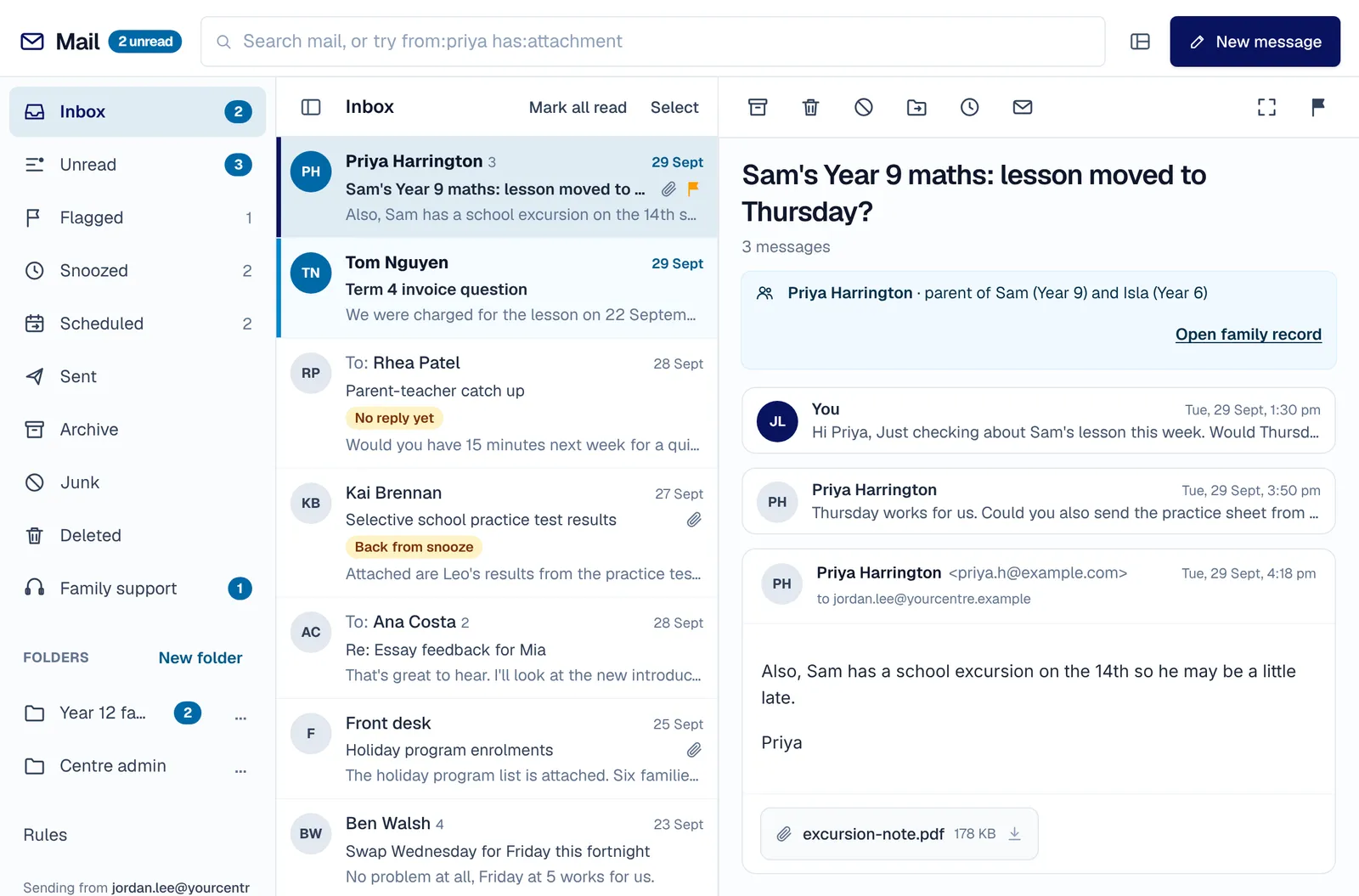
Tutors reply to parents from personal email, and nobody at the centre can see what was said. XInbox gives every member of staff a full mailbox, on your centre's own domain or one we set up for it. A parent's message shows their family and their children's year levels, so you answer without looking anything up.
Undo send · 8s
8
seconds to undo a send
10 MB
per attachment
24
keyboard shortcuts
100
conversations moved at once
The family behind the address
Every parent's message, with their family above it.
"Hi, it's Priya" is no help when the centre has three Priyas. Open a message from a parent and their family is right there: their children's first names and year levels, and a link to the family record for staff who can see it. Reply from the same place you teach them.
- First names and year levels only
- A link to the family for staff allowed to see it
- Your centre's own address, or one we set up for it, on every message
On your time
Write tonight. Send at nine.
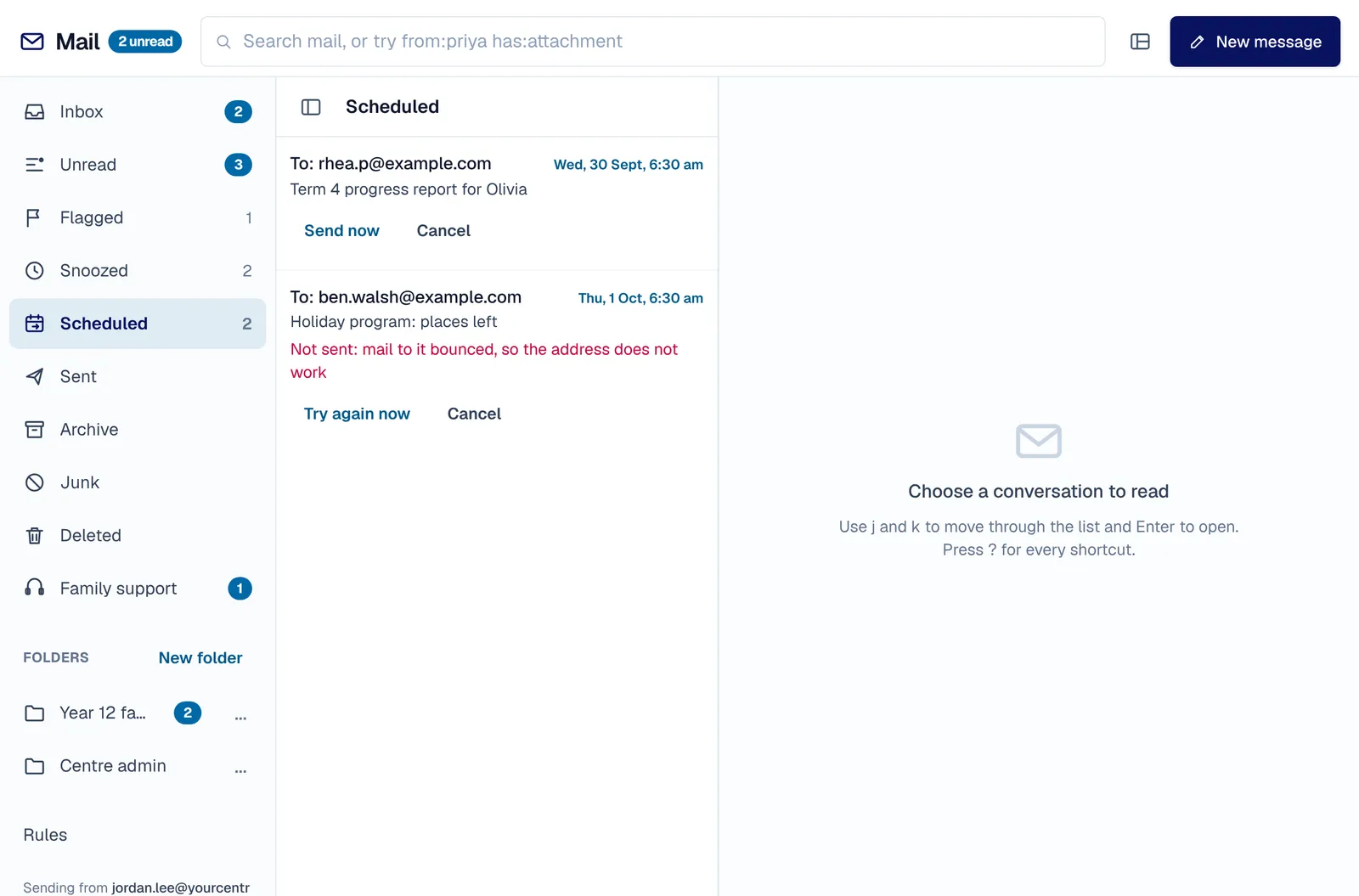
Tutors write to parents late at night, and a message sent at eleven reads like an emergency. Schedule a message for the morning, snooze a conversation until you can deal with it, or be reminded if nobody replies. A sent message waits 8 seconds so you can take it back, and closing the window does not lose it.
- Schedule send
- Snooze, and remind me if nobody replies
- Undo send, 8 seconds
- Needs reply: every conversation waiting on you, oldest first
Fast
The keys you already know.
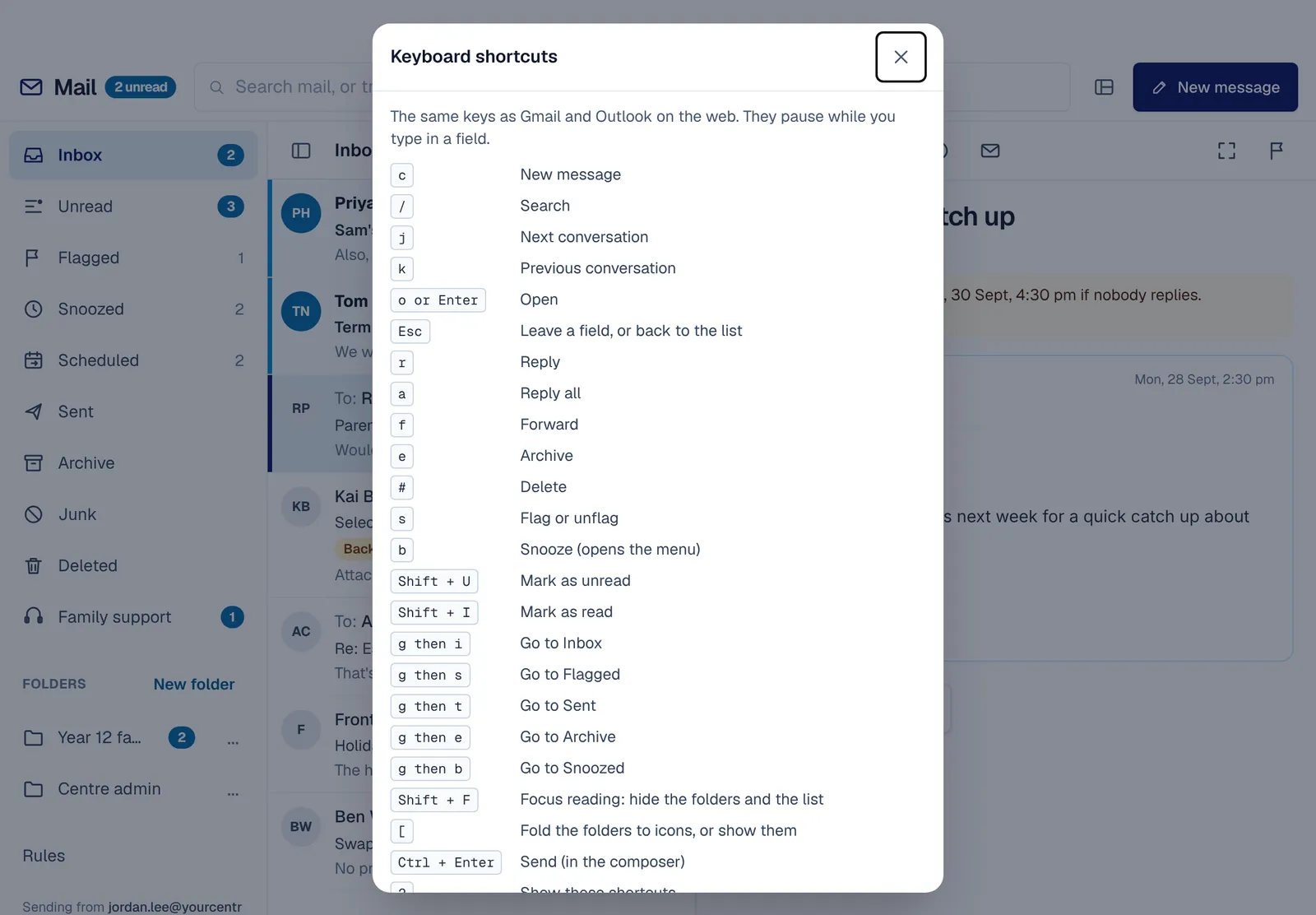
Admin staff answer more email than anyone, and every click adds up. 24 keyboard shortcuts, on the keys most email users already know, and a search that understands from:, to:, subject:, has:attachment, is:unread and is:flagged. Every button is still big enough for a finger on an iPad.
- Press ? to see them all
- Rules file incoming mail for you
- Templates for the replies you write every week
Safer by default
Families who said stop get no promotions.
Mailing a family who asked you to stop costs their trust. A promotion goes to each family separately with its own unsubscribe link, anyone who opted out is skipped, and an address that bounced is not mailed again. Messages are cleaned before they are shown, and pictures from other servers wait until you ask for them.
- Unsubscribes respected
- Bounced addresses skipped
- No read receipts
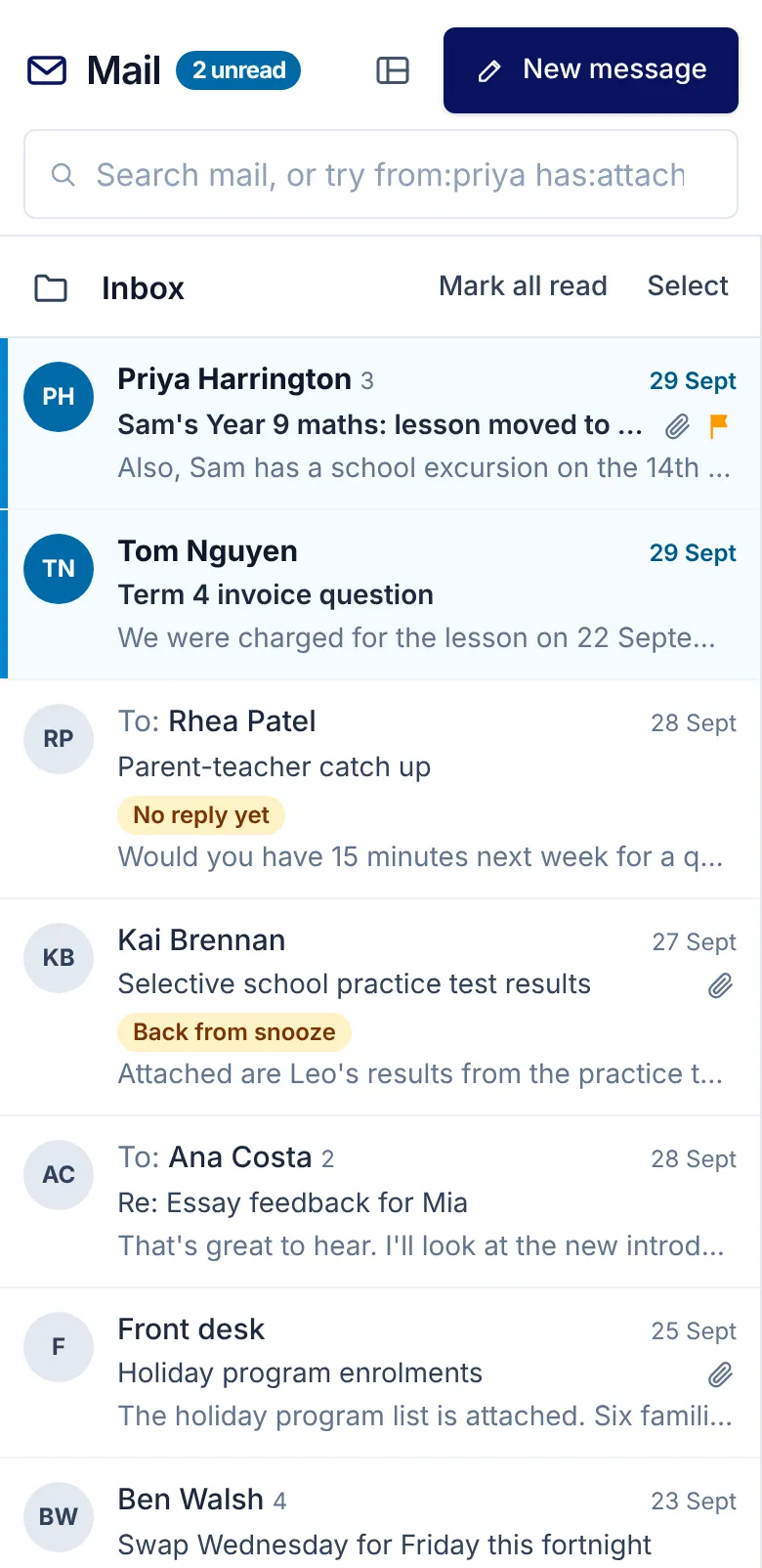
Draft with AI writes a first reply to edit, and Summarise sums up a long conversation when you press it; the model sees stand-in names, never the family's real ones.
Attachments up to 10 MB each are checked before they are sent, and only pictures and PDFs open in place.
Your centre connects email once, with its own domain or ours, and every staff member's mailbox follows.
Safe by design: names are replaced before anything reaches an AI model, and real names come back only for the mailbox's owner. How we keep children safe
One signature
Every staff email signs off the same way.
Set it once for the centre.
The centre's signature
One signature with your logo and fill-in fields goes on staff mail, and staff can't change it. System and marketing emails never carry it.
Replies go somewhere useful
Choose the address that replies to your centre's system emails reach.
The centre's signature
On every staff email from Mail
Kind regards,
Olivia Brown
Centre manager, Your Centre
hello@yourcentre.example
Replies to system emails go to
In short
XInbox
XInbox is the website's name for Mail, built into every XTutio centre's portal. A mailbox for every tutor, with your centre's name in the address. Staff use it with the same sign-in as the timetable, families and billing, and it costs nothing extra.
Questions centres ask
What is XInbox?
XInbox is what this website calls Mail in a centre's XTutio portal. Tutors answer parents from personal email, and admin staff have to look up which family a message came from before they can reply. XInbox gives every member of staff a mailbox in the portal, on your centre's own domain or one we set up for it, that knows which family each parent belongs to, so families are answered from the same place they are taught.
Does XInbox cost extra?
No. XInbox comes with every XTutio centre, with nothing to buy per member of staff.
