XLesson · online lessons
An online classroommade for tutoring,not formeetings.
Teaching online on a meeting link means sending the link, wondering who else has it, and typing up the roll afterwards. In XLesson the lesson, the roster and the roll are already in it. The family waits until the tutor is there, everyone sees when a parent or centre staff are in the room, and the board goes home afterwards.
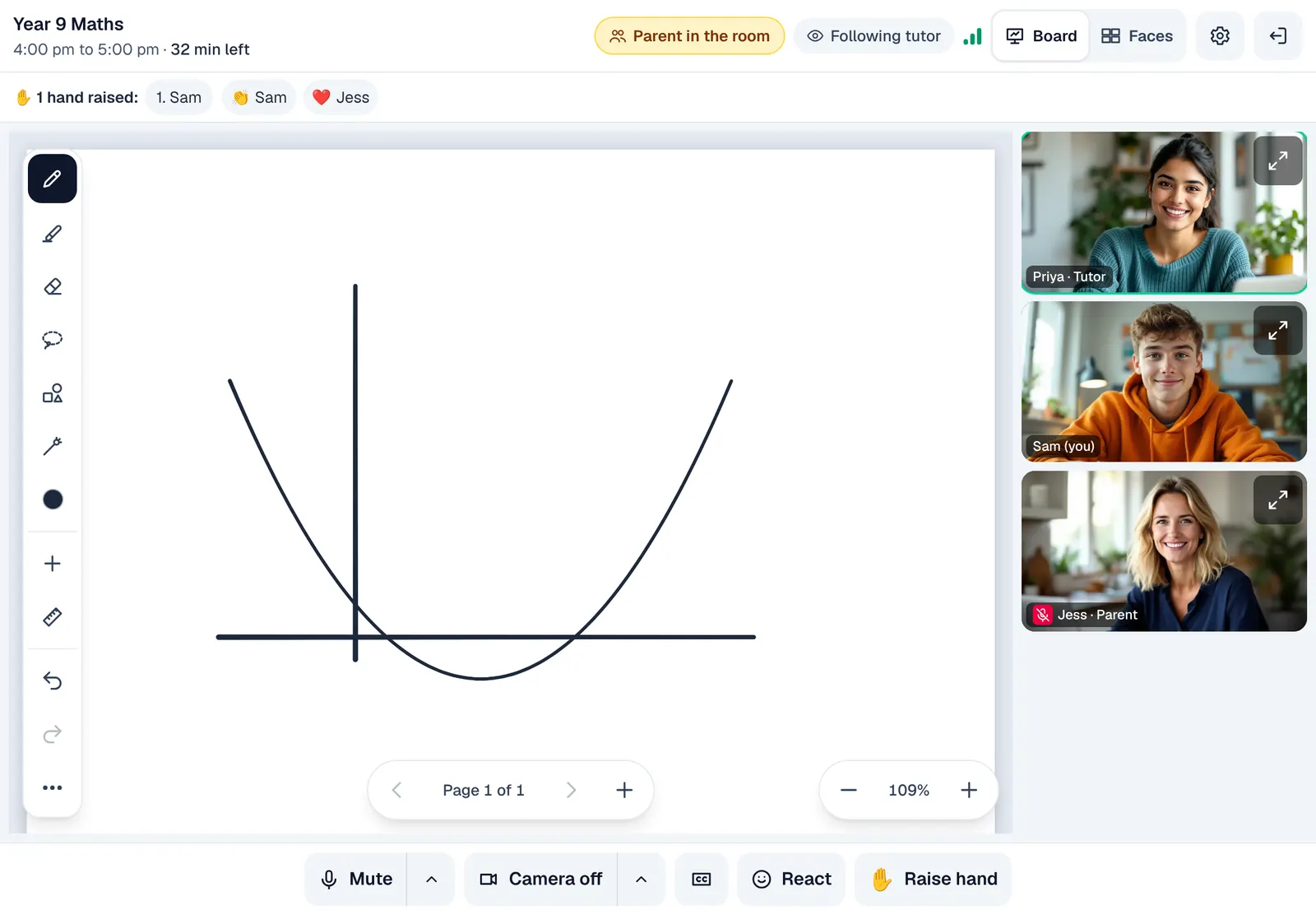
Live now
Parent in the room
15
minutes early, the room opens
5
minute nudge to wrap up
30
minutes after, to finish up
5
reactions, never free text
The board is the lesson
Write it, show it, solve it. Together.
Holding a page up to a webcam is no way to teach maths. The board fills the screen by default. The tutor and the student write on it with a finger or an Apple Pencil, the parent can join in, and the tutor can ask everyone to follow their page.
- The board fills the screen
- Follow me keeps everyone on the tutor's page
- Saved as a PDF and linked on the family's home page
Before the lesson
A waiting room worth waiting in.
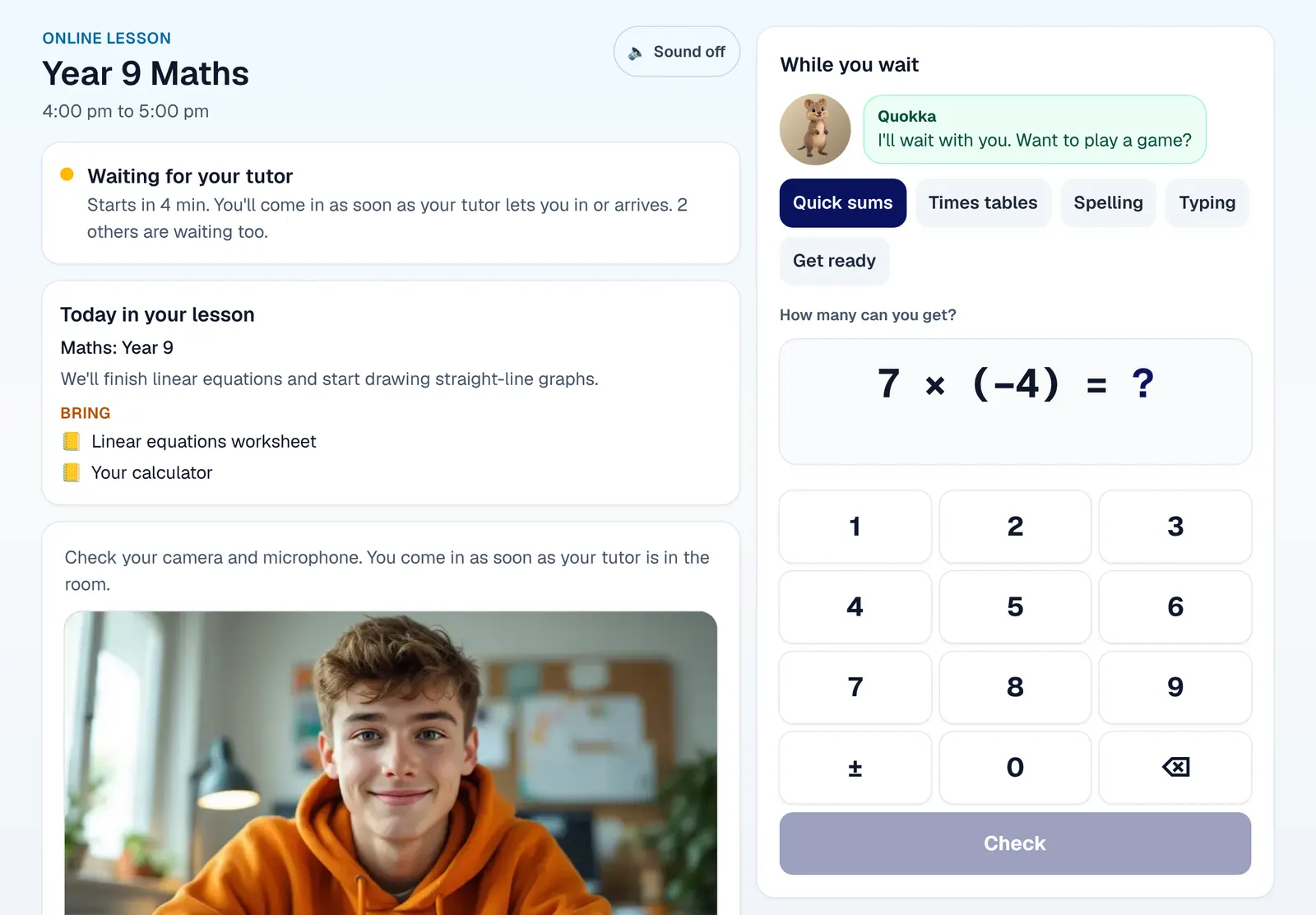
A child alone on a blank screen does not know if the lesson is broken or just not started. A student checks their camera and microphone, sees whether their tutor is there and when the lesson starts, and warms up with quick sums at their own level while they wait. It all stops the moment they come in.
- Camera, microphone, speakers and connection, ticked off
- Quick sums at the student's own year
- Nothing that connects one child to another
Hello and goodbye
Put the board away and talk face to face.
The start and end of a lesson are about people, and a whiteboard in the way makes them feel like a form. One tap shows everyone's faces large; pin the tutor to make them bigger still. The board keeps everything written on it while you talk.
On time
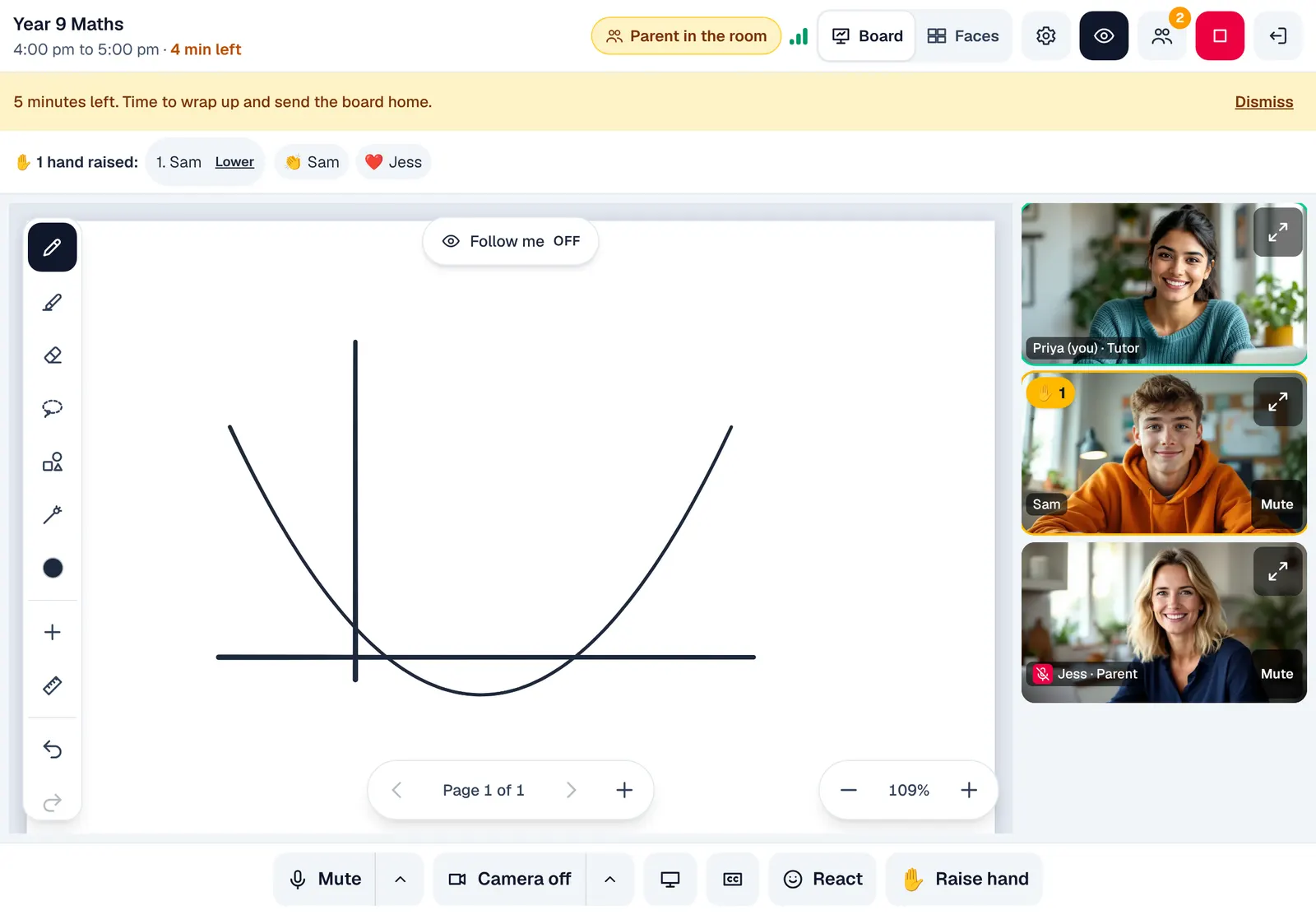
5 minutes to go. Then the roll fills itself in.
Online lessons run over, the next family waits, and admin staff type up the roll at the end of the day. The time left sits in the top bar for everyone. Near the end the tutor gets a gentle nudge to wrap up and send the board home, and when the lesson ends the roll is filled in from who was connected, ready to confirm.
- A countdown everyone can see
- The roll from who was there
- Billed like a lesson at the centre
Anywhere
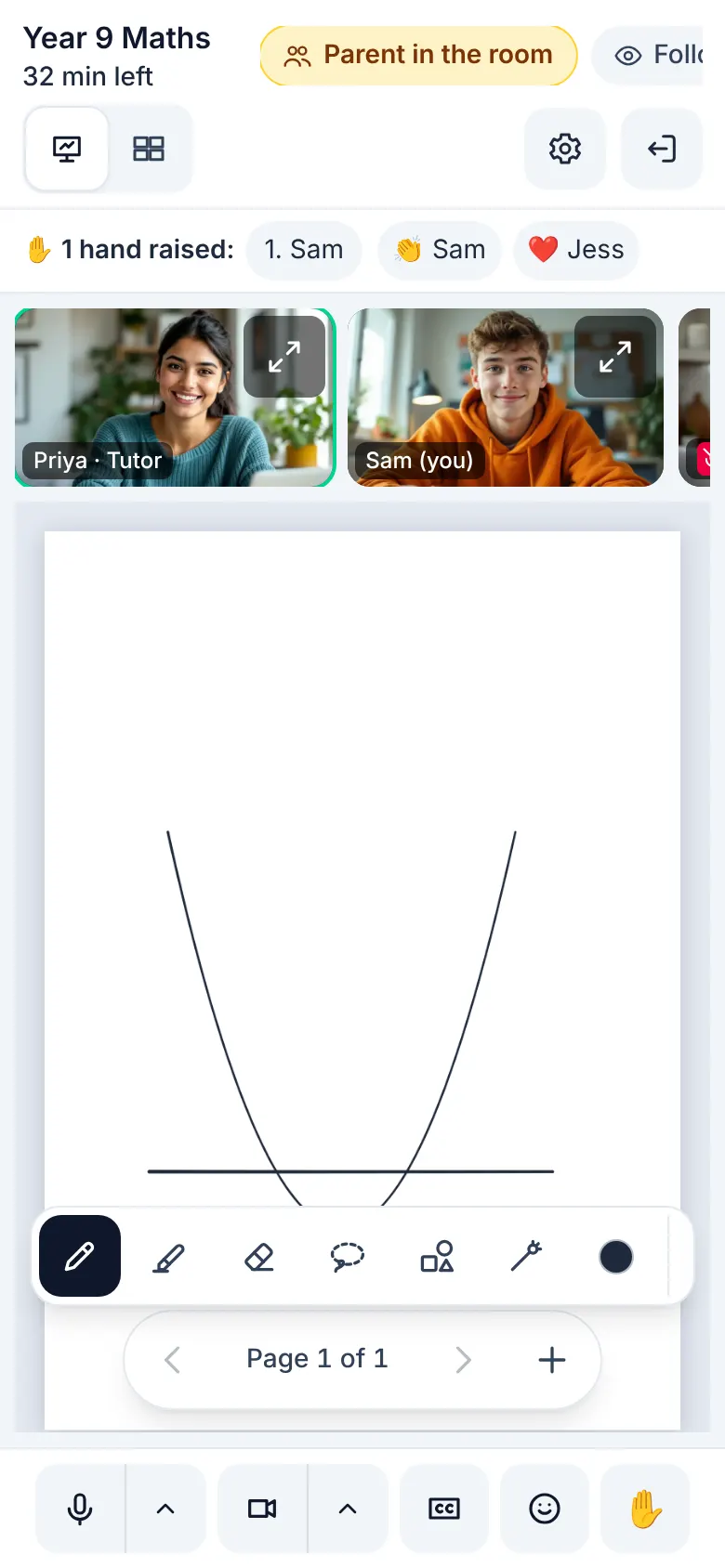
A parent at work, on their phone.
Parents at work want to see what their child learned without leaving the office. On a phone the lesson keeps its board and its faces, and the controls stay in one row. Everyone sees when a parent or centre staff are in the room, and nothing written in a lesson goes to one person privately.
- Parent in the room, shown to everyone
- Centre staff can look in, and everyone sees that too
Only the tutor, the students on the roster, their parents and centre staff allowed to supervise get in, and only around the lesson's own time.
Reactions are a fixed five and a raised hand: nothing a child sends carries words to another child.
The tutor can ask a quick poll: students tap an answer, everyone sees the counts, and nobody is shown who picked what.
Your centre switches on video once, on its own video account or ours. Nothing to install.
Safe by design: children wait until the tutor is in, a parent can join their child's lesson, and everyone sees who is in the room. How we keep children safe
In short
XLesson
XLesson is the website's name for Online classroom, built into every XTutio centre's portal. Online lessons with a shared board, a waiting room and the roll done for you. Staff use it with the same sign-in as the timetable, families and billing, and it costs nothing extra.
Questions centres ask
What is XLesson?
XLesson is what this website calls Online classroom in a centre's XTutio portal. Teaching online on a meeting link means emailing the link, wondering who else has it, and typing up the roll afterwards. XLesson is an online classroom made for tutoring: the lesson, the roster and the roll are already in it, the family waits until the tutor is there, everyone sees when a parent or centre staff are in the room, and the board goes home afterwards.
Does XLesson cost extra?
No. XLesson comes with every XTutio centre, with nothing to buy per member of staff.
