
6 min read · Updated 2026-10-18
In short
Most messages to a tutoring centre's front desk are a parent asking when the next lesson is, what the homework was, what is owed or how their child is going. A parent app in the centre's own name answers all four on one screen for every child, shows the cost before a family cancels, and gives children their own home with nothing sold to them.
Look at a week of messages to your front desk. Is it Tuesday or Wednesday this week? What did Mia have for homework? Did I pay for last term? How is Jack actually going? Each one is easy to answer and each one takes a few minutes, and on a busy afternoon they arrive faster than reception can type.
Parents are not being difficult. They are busy, they have more than one child, and the answers are locked inside your systems. The fix is to put the answers where parents already look: on their phone, in your centre's name.
The four questions parents really ask
- When is the next lesson, and has anything changed?
- What is the homework, and has it been handed in?
- What do I owe, and what was it for?
- How is my child going, really?
Your name on every screen
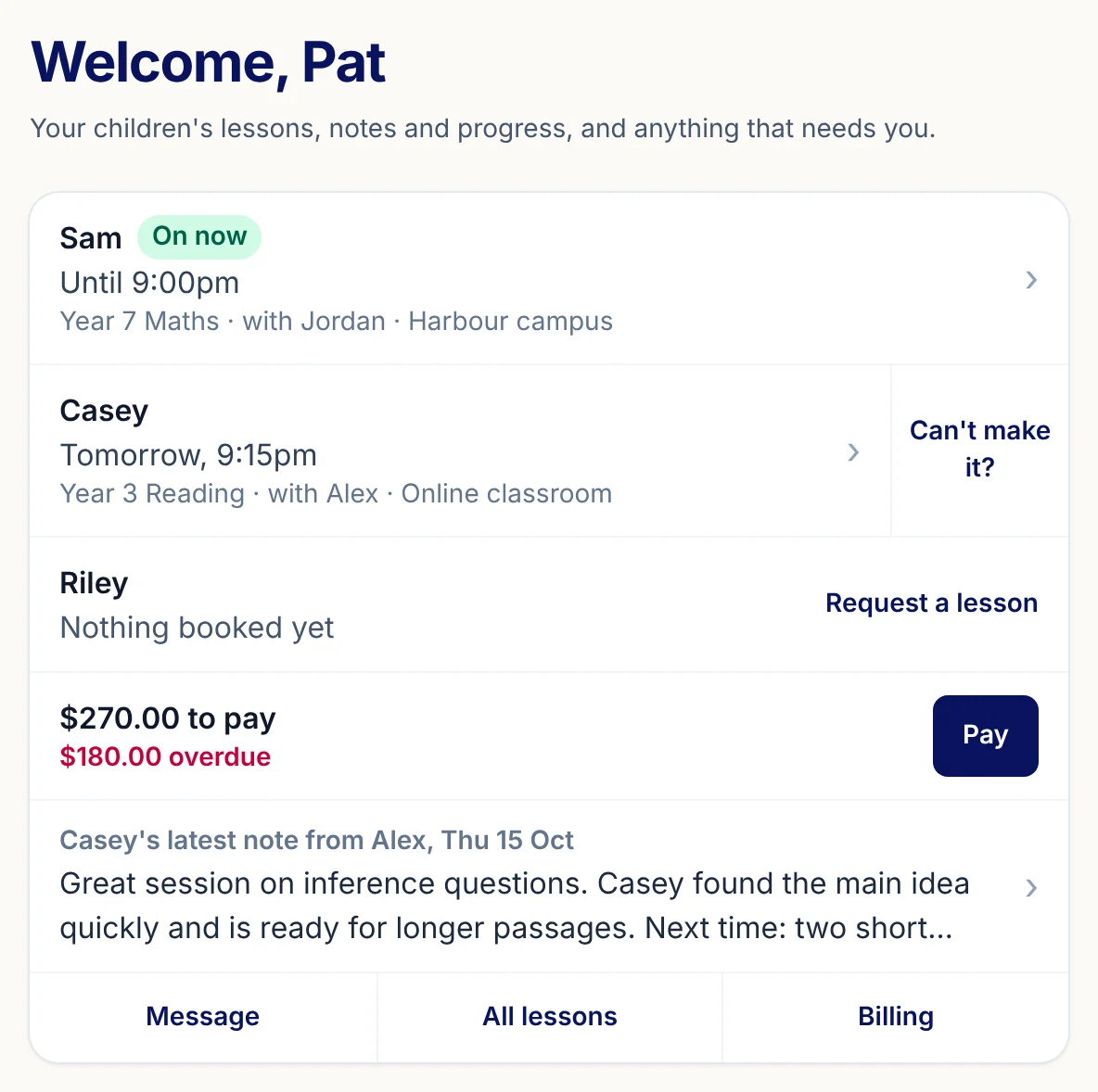
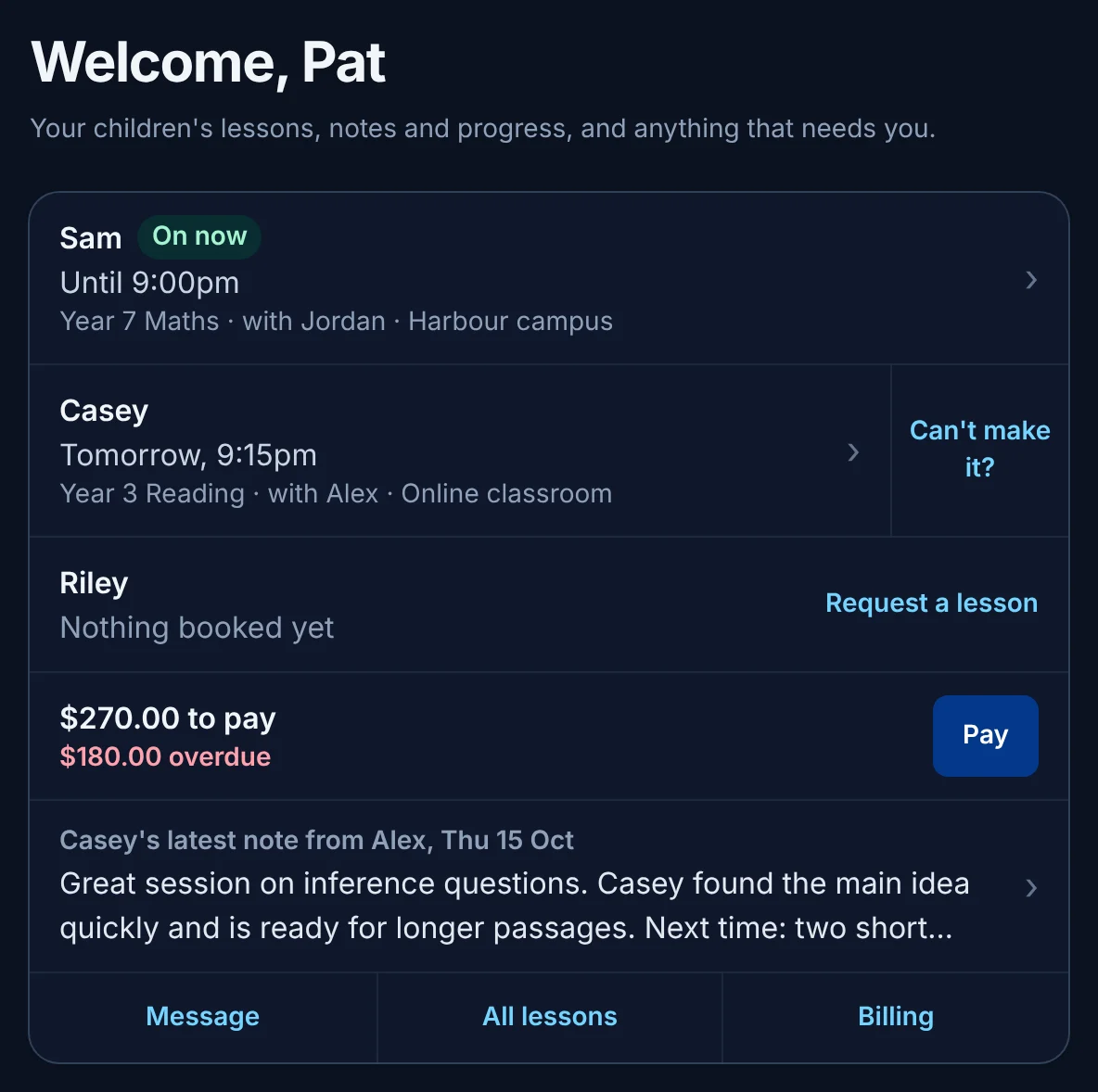
In XTutio, families sign in on your centre's own web address and see your name, logo and colours on every screen and every email, and your texts open with your name. One sign-in shows every child at your centre: who is on now, who is next, and who has nothing booked yet. The app belongs to your centre, not to us.
Lessons, without the phone call
Lessons, homework due dates, exams and each child's own items sit on one family calendar, by day, week, month or list, with each child in their own colour and a one-tap filter to a single child. After a lesson is wrapped up, the tutor's note for the family shows on the parent's home, so the question of what they covered is answered before it is asked.
When plans change, the figure comes first. Before a parent cancels, the sheet shows exactly what it will cost under your centre's own policy, with rebooking as the first button, and a makeup is offered against your tutors' real free times. Your scheduling and your cancellation policy are the same rules the parent sees.
Homework and progress they can trust
Each child's homework shows its status: due soon, handed in and waiting, marked, or overdue, with the tutor's marking shown criterion by criterion. Work done without any AI help is labelled so. For practice between lessons, a parent sees this week in games, how many facts were missed and then put right, and their child's Bushmate growth view: the stage reached, the gear each subject has earned and how many days the daily goal was met. Nothing tells a parent their child knows something the app has not checked.
Money in plain sight
What is owed and what is overdue sit beside the lessons they are for, so a question about an invoice starts with both of you looking at the same thing. How your centre charges, after lessons, upfront, by pack or from a balance, is set once in billing and shown to families the same way.
Safety, from the parent's side
A parent's Safety centre files a concern straight onto the centre's safety queue, and a concern about staff or a child's safety alerts the safety lead at once. Parents answer a photo question for each child, and staff see the answer on that child's page. The centre's safety lead decides what a family is told about a safety matter. The whole approach is set out on child safety.
A home of their own for the child
Children get their own app: what is due, their levels, a daily goal sized to their school year and the Bushmate they are raising. An area that is not on the family's plan is simply not on the child's screen, with no prices, no upgrade buttons and no paywall. Anything sold is offered only to parents.
Before you invite your families
- Your centre's name, logo and colours set
- Your cancellation policy written into your billing settings
- Tutors wrapping up lessons so the family note appears
- Homework set in the portal, not only on paper
- A safety contact named for concerns
- Front desk ready to show a parent the app at pick-up
How XTutio helps
Every tutoring family gets the parent and student apps with maths and English, games, typing, progress and the homework and notes its tutor sets, at no extra cost. See the parent and student apps for every screen.
Questions centres ask
- What should a tutoring centre's parent app show?
- The next lesson and any change to it, the homework and its status, what is owed, and how the child is progressing. Showing these for every child on one screen answers most front desk questions.
- Can the parent app carry our centre's own brand?
- Yes. In XTutio families sign in on your centre's own web address and see your name, logo and colours on every screen and email.
- Is anything sold to children in the student app?
- No. An area that is not on the family's plan is simply left off the child's screen, with no prices or upgrade buttons. Upgrades are offered only to parents.
